To create a step of the Decision type, select decision in the picklist Step type in the Edit step mask. The following input mask is displayed.
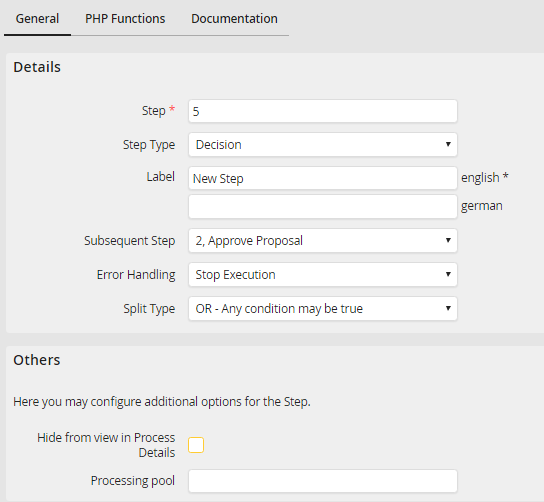
Create and edit a decision step
The description of the properties can be found in chapter Create and edit a user step. Click Save to save your step and you will be taken back to the step overview.
