It is possible to delete or archive the completed instances of a process version time-controlled.
Click on the process in the process overview that you want to delete and archive. You can see the editing mask Edit Process. Click the Delete & Archiving tab. Enable the Automatic deletion checkbox. And the following mask is displayed.
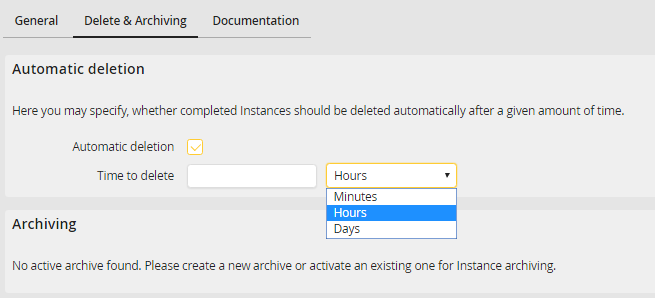
Deleting & archiving a process
You can define the time until deletion after completion of an instance in minutes, hours or days. Completed instances are automatically deleted after the entered period.
If you have licensed the JobShift module, you also have the option of archiving your instances. To do this, select the JobShift archive from the Archiving drop-down list and the processes will be moved to this archive. If you want to archive attachments in addition to the process data, select the Archive attachments checkbox.
Click Save to save your settings and you are redirected to the process overview. The archive settings can be found in the Admin Tools of JobShift. For further information See chapter JobRouter Administration Manual.
Please note: These settings must be made per process version.
