When opening the JobRouter Designer, you are directed to the process flowchart (See chapter Process Flowchart). The process flowchart is the centerpiece of the JobRouter Designer. Here you have the opportunity to display your process as a flowchart. The individual categories of the designer are connected to the flowchart designer. Create a new step, and it will be graphically depicted in the process flowchart and vice versa. The steps created in the flowchart automatically appear in the Steps category with all rules, forms, escalations, and integrations. The following shows the labels of the different designer menus.
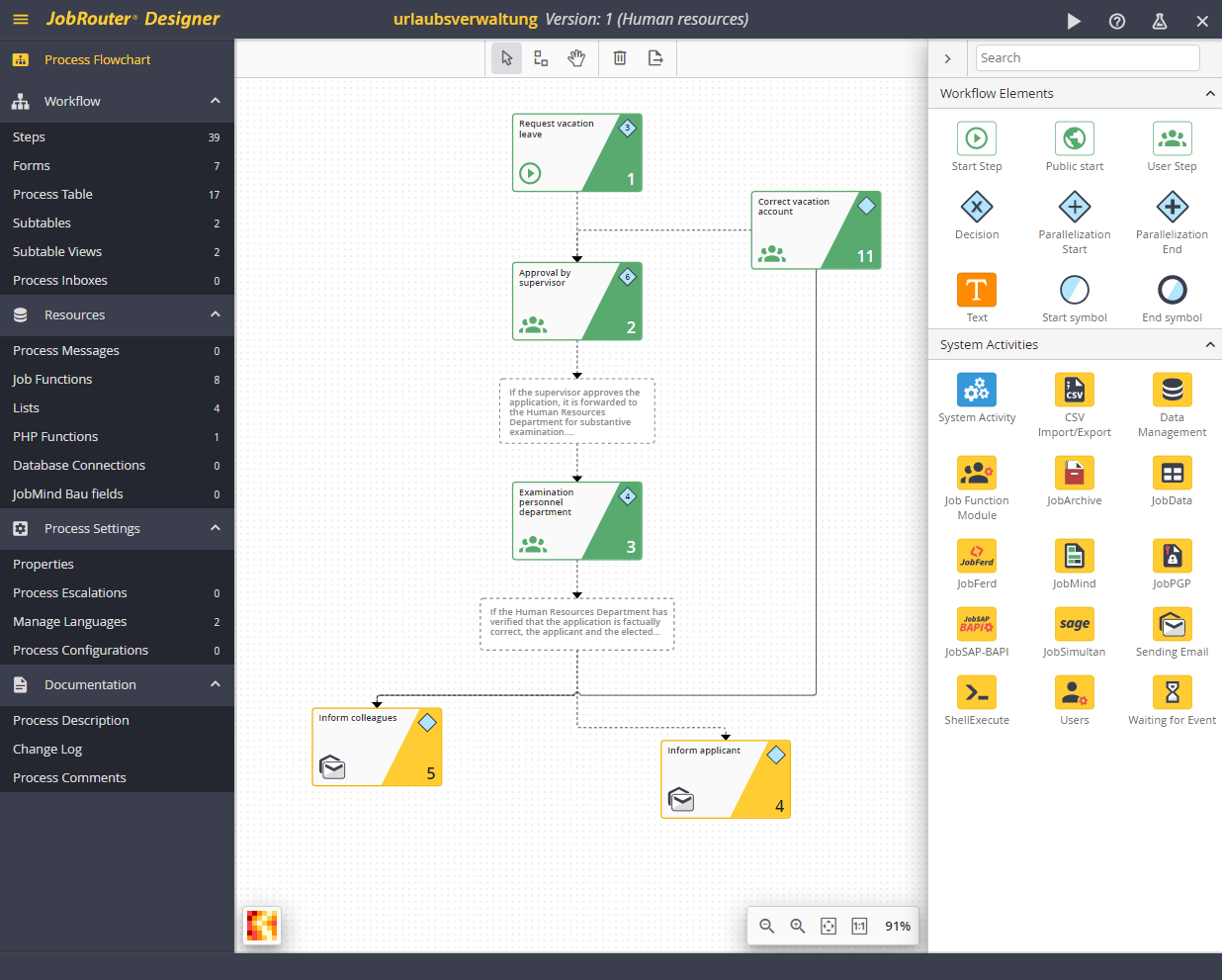
JobRouter Designer
