You may configure the following general settings on this tab. The particular settings that apply depend on the action chosen:
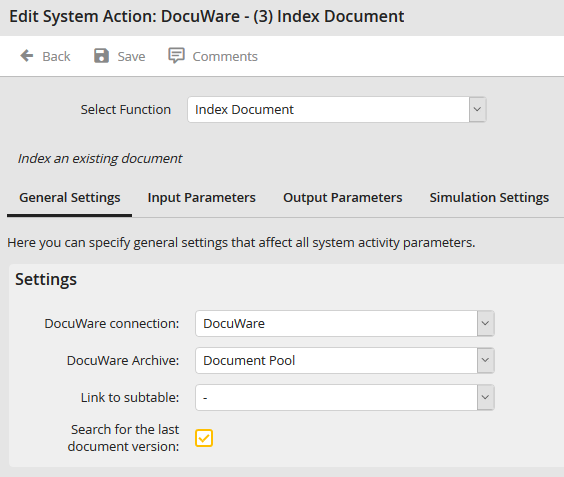
DocuWare Connection
Choose the DocuWare connection in which the action should be executed. This default connection will automatically be suggested when a rule is created.
DocuWare Archive
Select the DocuWare source archive for the actions Copy document and Move document. This parameter applies only to these two actions.
DocuWare Target Archive
Select the DocuWare target archive for the actions Copy document and Move document. This parameter applies only to these two actions.
Link to Subtable
The DocuWare system activity can execute an action for every row in a subtable. This mechanism would allow several documents to be processed at once, for example. The subtable name parameter applies to all actions except Read index data, Copy document, and Move document.
If you select a subtable here, it will be the only choice in the input and output parameters.
During the execution the selected action will be performed for every row of the subtable. The return values will be written in the respective rows.
Search for the last document version
This parameter is available for all functions except Archive Document and Archive PDF Log. If this parameter is set, the system searches for the current document version. This setting only applies if the DocuWare connection is set to Platform Servicess and versioning has been activated in the DocuWare file cabinet.
Please note: Documents archived in DocuWare Version 7 always return the latest version and ignore this parameter.
