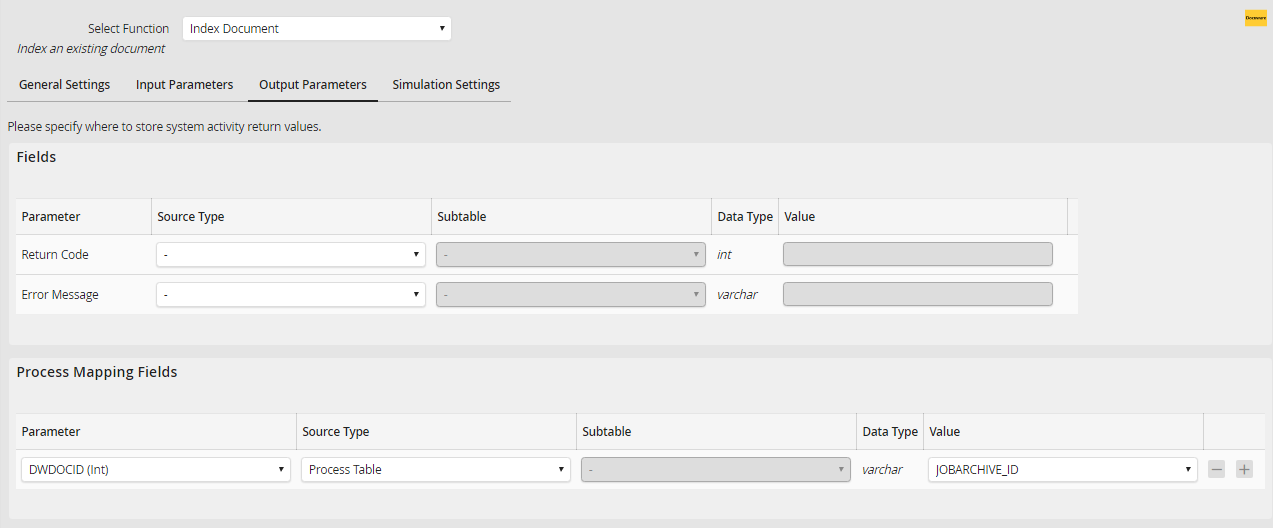
Use the tab Output Parameters to define the values to be returned to the instance:
Exported file
This parameter applies to the Export document as attachment action. Select the process table attachment column to which the document should be attached.
Return code
This parameter is assigned the value 0 after a successfully completed action, otherwise -1.
Error message
If an error occurred during the execution of the action, this parameter will return the respective error message.
Index field assignment
Define which data fields of a DocuWare document are to be read and returned to an instance.
In the Parameter column, select the DocuWare field to be read and then choose a resource type. Choose Process Table to write the value into a process table field. Choose Subtable in the case of a DocuWare keyword or when you are processing multiple documents (see General Settings > Link with Subtable).
If applicable, select the subtable, and then select the column of the process table or subtable into which the value is to be written.
