An SAP web service and a JobLink for SAP module can be selected in the details section of the element properties. The SAP web service selection list contains all connections configured in the JobLink for SAP module configuration. After the respective module is selected, further settings can be configured in the individual settings. Select the Use SAP user checkbox if you want the BAPI module to be executed in the user context. In this case, the SAP login data of the current user is used to establish the connection to the SAP Web service.
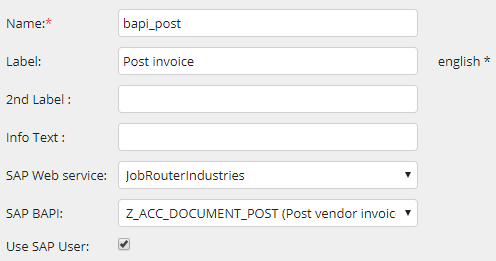
Please note: If no login data was stored or the data is invalid, the module cannot be executed. An error message is displayed in the dialog.
Please note: The SAP user needs additional rights for the communication to the SAP web service
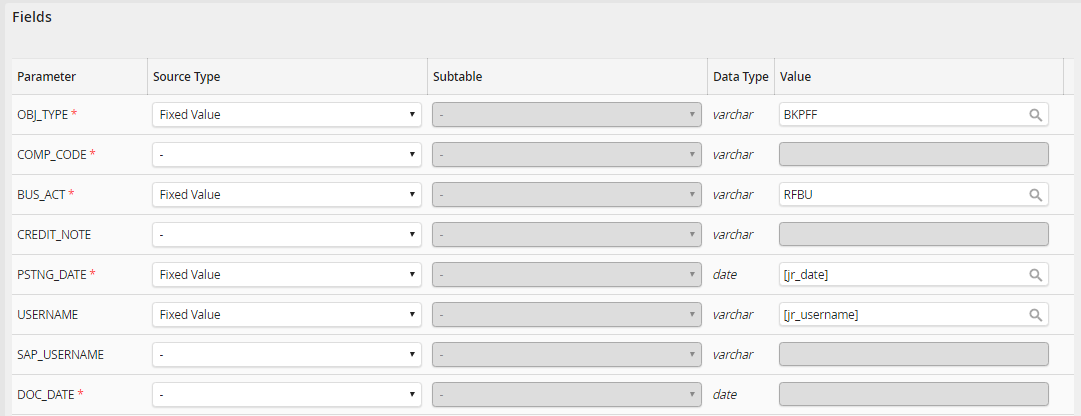
The SAP input fields section is used to link individual SAP fields to the data read by JobRouter.
Please note: Required fields are marked with an asterisk.
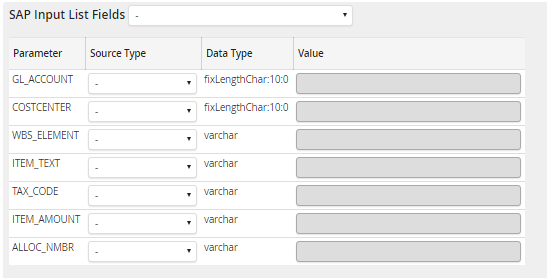
The SAP Input List Fields section is used to link SAP item fields to the data read by JobRouter.
The SAP Output Fields section is used to link individual SAP fields to JobRouter table fields.
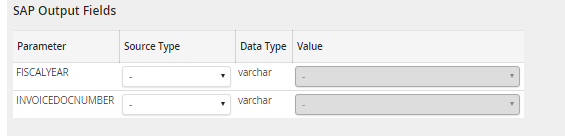
For all input and output fields, a tooltip can be stored in the JobLink for SAP XML file with the attribute description.
For some modules output list fields can also be linked to subtables or subtable views.
Please note: the element cannot be used in start steps that have not yet been saved!
