The function determines the value of an element as a JavaScript data type. This data type depends on the element type.
Parameter |
Type |
Description |
|---|---|---|
elementName |
string |
Name of dialog element |
Depending on the dialog elements, one of the following JavaScript data types is used for returning the value.
JobRouter element type |
JavaScript data type |
|---|---|
DATE |
Date |
DECIMAL |
Number |
CHECKBOX |
Boolean using 0 (false) and 1 (true) |
TEXTBOX |
Text |
RADIO |
Text (stored default value) |
Example:
function getDateFieldValue() {
jr_get_value('start_date');
}
Error handling for date fields:
If a date field contains an invalid JavaScript date object an according error message is displayed. If the function is called for an empty date field, the function Invalid Date will be returned. This value cannot be used as input value for jr_set_value.
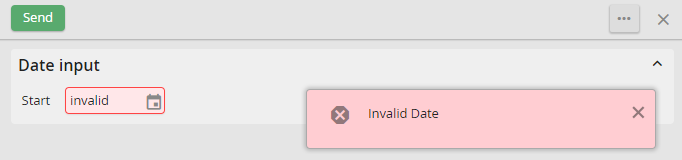
Invalid date input
