In the JobRouter Process Designer you enter the step, where you want your Office documents to be displayed. Go to the Integration column and select Office Online.

Step integration
Choose that process table field in the select list Attachment, where the Office document was stored. The field type must be attachment field.
You can choose a process table field in Open in Edit Mode to determine if the Office document should be visible or not. Editable means that the value in the process table field should be 1 (true). If you do not insert anything in this field, than the Office document will only be visible in the viewer.
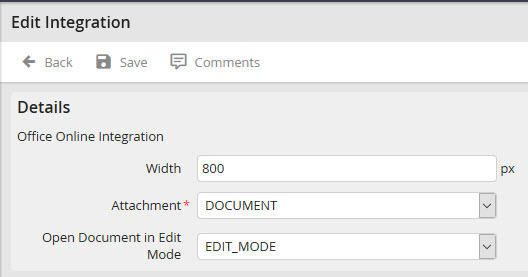
Edit integration
Please note: Office can be licensed differently. Editing depends on the type of the given license. If e.g. there is no license for Excel, Excel is only displayed in viewer mode.
