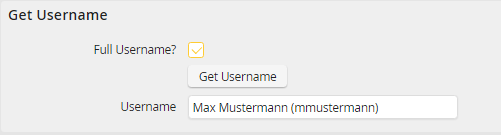
This example shows the interaction of the JavaScript function jr_execute_dialog_function and the PHP dialog function getUsernameFunc with the help of a process:
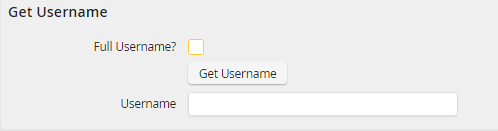
The onClick on the Get Username button calls up the getUsername JavaScript function.
JavaScript functions:
var getUsername = function() {
jr_execute_dialog_function('getUsernameFunc', {fullname: jr_get_value('full_username')}, mySuccessCallback);
}
var mySuccessCallback = function(returnObject) {
jr_set_value('user_name', returnObject.result.username);
}
PHP dialog function getUsernameFunc: getUsernameFunc
<?php
class className extends DialogFunctionClass
{
public function execute()
{
$fullname = $this->getParameter('fullname');
if ($fullname) {
$this->setReturnValue('username', 'John Doe (jdoe)');
} else {
$this->setReturnValue('username', 'jdoe');
}
}
}
?>
Please note: In this example, you can also query the "Full Username?" checkbox like this:
$fullname = $this->getDialogValue('full_username')
Result:
The result of the call of the JavaScript function getUsername by the button depends on the status of the checkbox, either only the username or the full name is written in the Username text box.