Via the JobRouter Sign integration you may display a document, which needs to be signed, to internal recipients (JobRouter users) and initiate the signature.
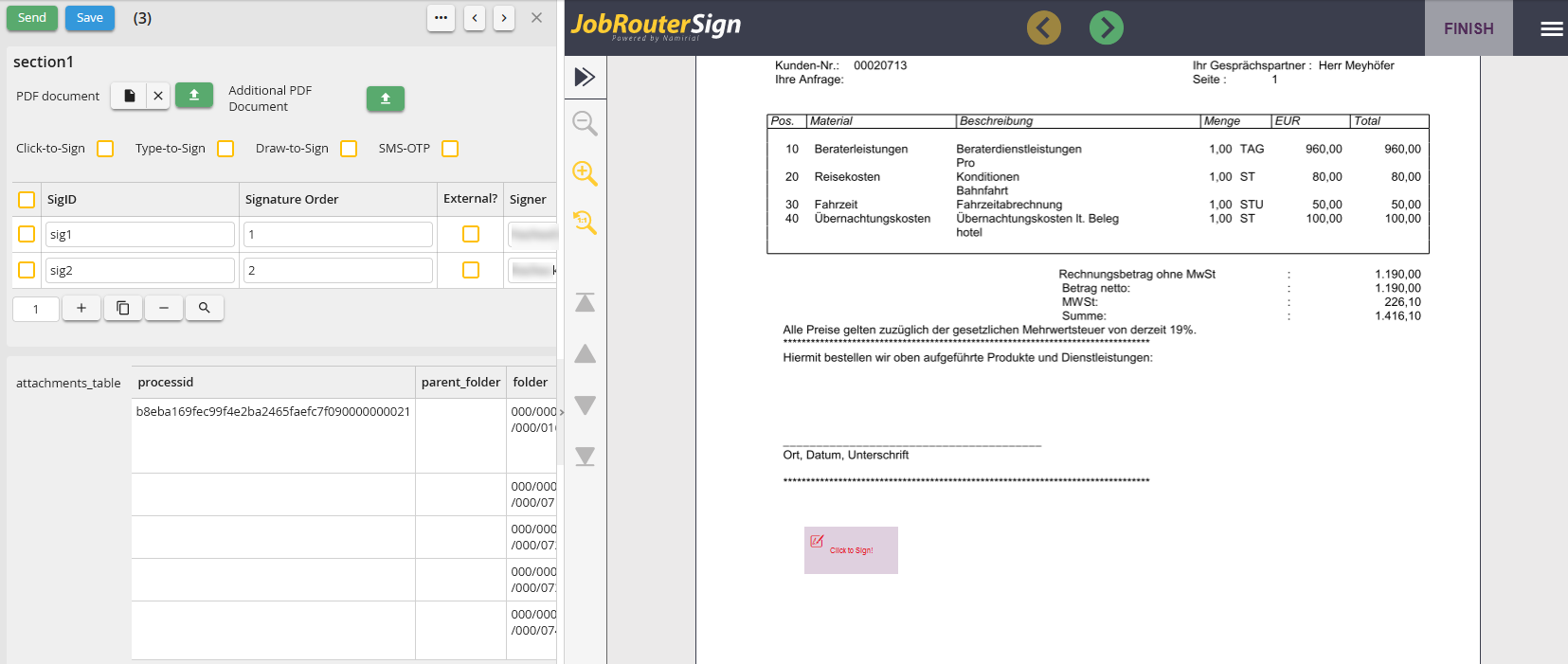
Integration
Furthermore, some validations are preformed via the dialog integration:
oWhen the step is opened, it is checked, if the currently logged-in user corresponds with the user, who is defined as the recipient, when the signature operation order was made. If not, the document will not be displayed and an error message is issued.
oWhen the step is send it will be checked, if the document was signed by the user. If not, it is not possible to send the step. The verification may be disabled via the process design by making the respective setting in the dialog integration configuration.
The following configuration settings are available for the dialog integration:
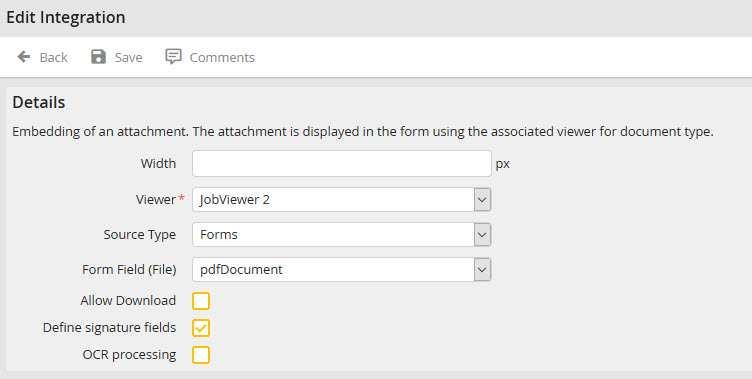
Edit Integration
Feature |
Definition |
|---|---|
Width |
Width of the integration |
Viewer |
Viewer to show the document |
Ressource |
Where should the document be displayed. You can choose between dialog or table |
Dialog field (File ) |
The attachment field where the PDF document was saved. |
Enable download |
Check this option if you want to download the PDF document. |
Define signature areas |
If this option is enabled, PDF placeholders can be applied for the signature. |
OCR- processing |
OCR text recognition is performed in the viewer |
