Output parameters are used to save calculated values or values created by the system activity in a process table or subtables, so they can be used in the further process flow. The error status and a corresponding message are also part of the output parameters of a system activity.
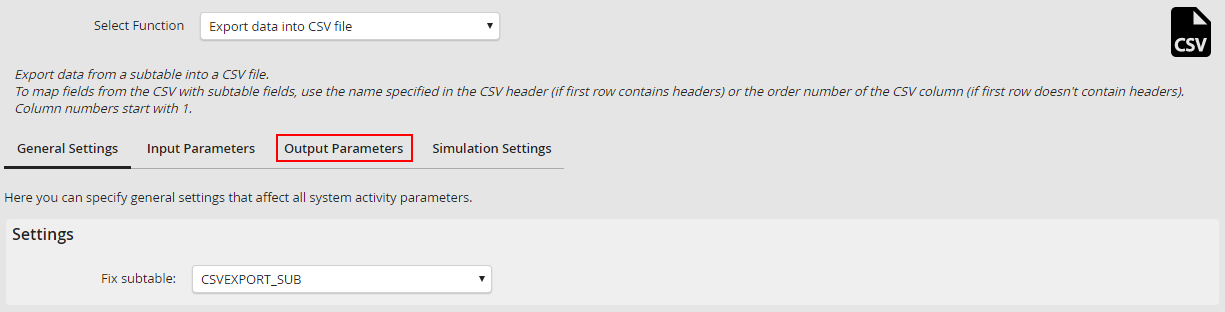
For the CSV export the default parameters returnCode and errorMessage as well as the path to the file as text and the number of rows to be exported should be saved as output parameters. For this the XML has to be extended by the following output parameters:
Extending the XML by output parameters
<function id='exportCsv' name='CONST_SA_CSV_CSVEXPORT_NAME' description='CONST_SA_CSV_CSVEXPORT_DESCRIPTION'>
<userdefined>
<udfield name='CONST_SA_CSV_FIX_SUBTABLE' id='fixSubtable' desc='CONST_SA_CSV_FIX_SUBTABLE_DESC' type='list' />
</userdefined>
<inputParameters>
<field id='fieldDelimiter' name='CONST_SA_CSV_FIELD_DELIMITER' desc='CONST_SA_CSV_FIELD_DELIMITER_DESC' worktable='yes' subtable='no' fixed='yes' datatype='varchar' required='yes'/>
<list id='fieldList' name='CONST_SA_CSV_COLUMN_MAPPING' worktable='no' subtable='yes' fixed='no' datatype='varchar' required='no' udl='yes'/>
</inputParameters>
<outputParameters>
<field id='returnCode' name='CONST_ACT_RETURN_CODE' desc='CONST_ACT_RETURN_CODE' info='return_code' worktable='yes' subtable='no' fixed='no' datatype='int'/>
<field id='errorMessage' name='CONST_ACT_ERROR_MSG' desc='CONST_ACT_ERROR_MSG' worktable='yes' subtable='no' fixed='no' datatype='varchar'/>
<field id='targetFile' name='CONST_SA_CSV_TARGET_FILE' desc='CONST_SA_CSV_TARGET_FILE_DESC' worktable='yes' subtable='no' fixed='no' datatype='file' required='yes'/>
<field id='numberOfRows' name='CONST_SA_CSV_NUMBER_OF_ROWS' desc='CONST_SA_CSV_NUMBER_OF_ROWS_DESC' worktable='yes' subtable='no' fixed='no' datatype='varchar'/>
</outputParameters>
</function>
