In order for the exported file to be accessible during the ongoing process, the path and name of the file have to be stored in the process table. Also the number of exported rows should be stored in another process table field. For this we first introduce a counting variable to store the number of written rows. To save the retrieved values in the process table the API method storeOutputParameter is used:
Saving output parameters in the process table
<?php
class csvSystemActivity extends AbstractSystemActivityAPI
{
...
private $fieldDelimiter;
private $csvFile;
private $csvFilePointer;
private $numberOfRows;
protected function exportCsv()
{
$this->debug('exportCsv start');
$this->loadGlobalSettings();
$this->openCsvFile('w');
$this->debug('executeMethodForSubtable for '. $this->getFixSubtableName());
$this->initLineCounter();
$this->executeMethodForSubtable('writeSubtableLineIntoFile', $this->getFixSubtableName());
$this->storeOutputParameter('targetFile', $this->csvFile);
$this->storeOutputParameter('numberOfRows', $this->numberOfRows);
}
protected function loadGlobalSettings()
{
$this->fieldDelimiter = $this->resolveInputParameter('fieldDelimiter');
}
protected function openCsvFile($mode)
{
$this->csvFile = $this->getTempPath() . DIRECTORY_SEPARATOR . 'test.csv';
$this->debug('csvFile: '.$this->csvFile);
$this->csvFilePointer = fopen($this->csvFile, $mode);
}
protected function initLineCounter()
{
$this->numberOfRows = 0;
}
protected function writeSubtableLineIntoFile()
{
$this->debug('writeSubtableLineIntoFile for '. $this->getFixSubtableName());
$subtableValues = $this->resolveInputParameterListValues('fieldList');
$csvLine = implode($this->fieldDelimiter, $subtableValues)."\r\n";
fwrite($this->csvFilePointer, $csvLine);
$this->numberOfRows++;
}
}
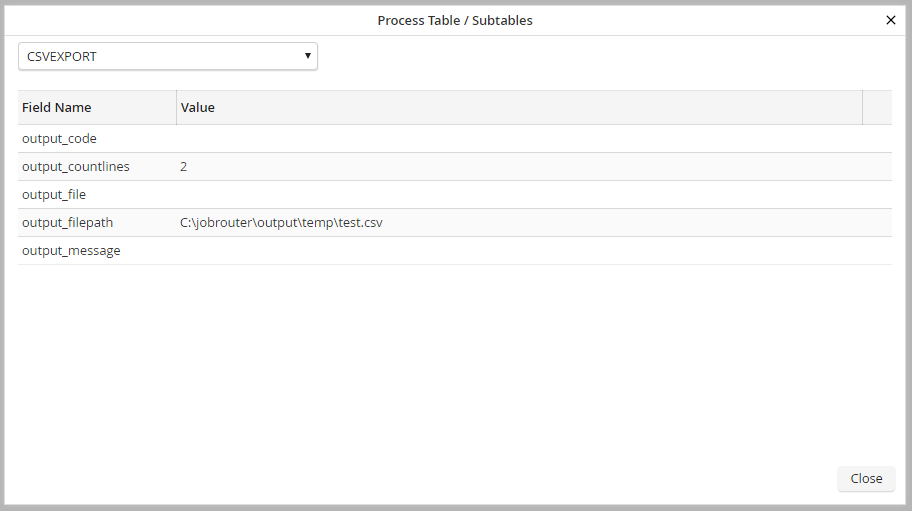
Looking at the step details in the simulator shows us that the data was written correctly into the process table.