Open the JobRouter add-in from any email. The Document Hub opens automatically.
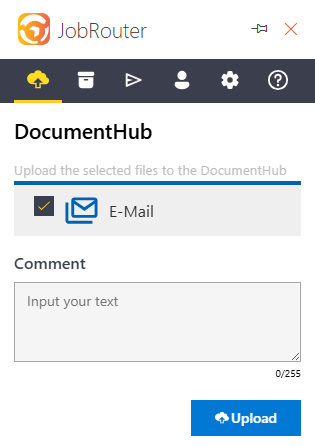
DocumentHub
All attachments are listed individually with the email. By default, all objects are marked for upload and can optionally be provided with a comment.
By clicking on "Upload file", all marked objects are uploaded to the Document Hub.