You log in via the JobRouter homepage. For this, start the JobRouter application by directing your browser to the URL defined during the software installation.
Please note: If you do not know the URL of your JobRouter application, ask your system administrator or the person in charge of the JobRouter system.
When you have successfully connected to JobRouter, you will see the login dialog box shown below.
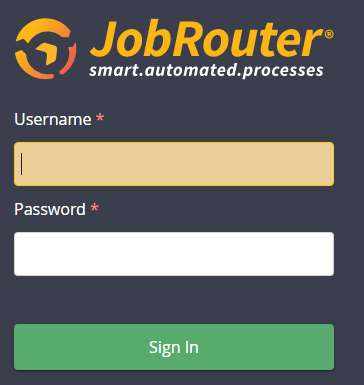
Login dialog box
Enter the respective name in the User name field. Enter your Password and click on Login to open JobRouter.
Please note: If you do not know your assigned user name or password, ask your system administrator or the person in charge of the JobRouter system.
If the system is configured accordingly, you can also use your Windows Login to log in to the system. You will be automatically connected to the system without having to enter your user name and password. If you need to log in as a different user, you can log out of the application and enter the user name and password of the other user on the login dialog box.
In case of an appropriate configuration the login via SAML or OpenID Connect is also possible. In this case, no password field is given in the JobRouter login mask. After logging in with your user name in JobRouter you are directed to the fitting Identity Provider (IDP) that will direct you back and logs you in at JobRouter after successful authentication. Therefore, your IDP user data are applied for the linked JobRouter account.
If exactly one Identity Provider (IDP) is configured and activated, you are automatically redirected to this IDP when you open the login page.
If several IDPs are configured, the manual login page is displayed. In addition to the standard login form, a dedicated login button labelled Login with [name] is shown there for each configured and activated IDP – even if only a single IDP is configured. A separator --- OR --- separates the login buttons from the standard login form. Initially, no more than three login buttons are shown. If more IDPs are configured, you can display the remaining ones via the link Show x more login options. The login buttons are sorted in ascending order by their label.
Please note: You can reach the manual login page with the standard login form at any time via the URL <JobRouter URL>/login.
If the login at the IDP is cancelled, an authentication error occurs, or the IDP is technically unreachable, you are automatically redirected to the manual login page if possible.
In all cases you could also login with your e-mail address instead of your user name. For further information about how to configure your JobRouter system, please refer to the JobRouter installation manual.
Please note: To log in with your e-mail address the security setting Unique e-mail address has to be activated. For further information, please refer to the JobRouter administration manual.