All changes you make to a process are automatically logged. Accordingly, by looking at the log you can find out at any time who worked on a process and when they did it. The change log is open to inspection by every process designer.
Viewing the change log
Access the change log via JobRouter Designer's overview display. Click overview in the Designer navigation menu. Go to the Documentation section and click Change log to see an overview of all changes that have been made to the process. Go to the Documentation section and click Change log to see an overview of all changes that have been made to the process.
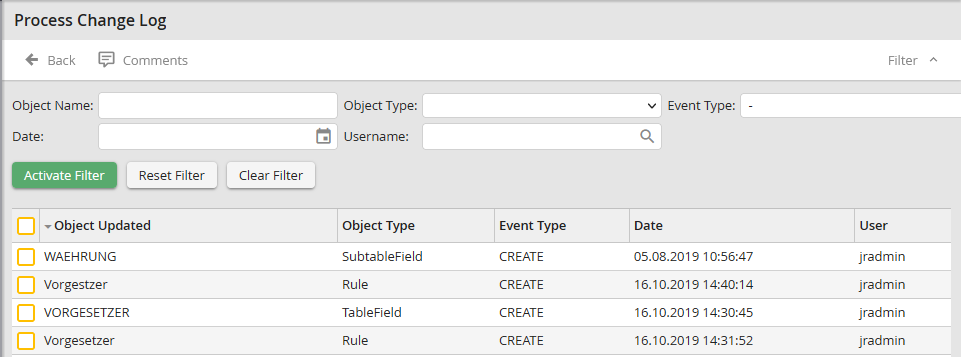
Change Log
The following properties are shown.
Change log properties |
Description |
|---|---|
Changed object |
Displays the name of the changed object. |
Object type |
Shows type of the object, for example, rule, form, table field, process message, etc. |
Event type |
Shows what happened to the object, for example, created or deleted. |
Date |
Shows the date and time of the change. |
Username |
Shows the username of the person who made the change. |
The listing is for information only. You cannot make any changes to the list. Click Back to go back to the Designer overview display.
