To create a PHP function, click PHP functions in the Designer navigation menu. An overview of the previously created PHP functions appears.

Overview PHP Functions
Modify an existing PHP function by clicking its name. Create a new PHP function by clicking New PHP Function in the action bar. In both cases, the Edit PHP functions form window appears.
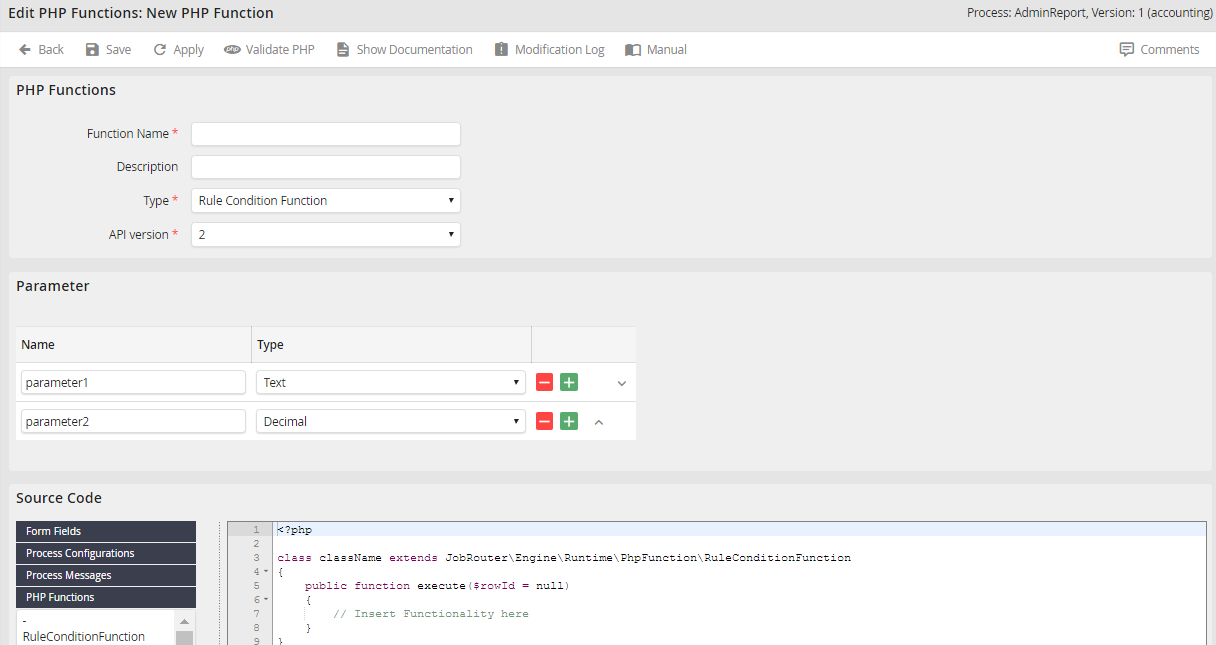
Editing PHP functions
In the PHP functions section, enter the name of you function in the Function Name field. The function name has to start with a letter, has to be min. two chars long and is only allowed to contain letters, numbers and underscores.
Please note: The name of the function cannot be modified later on.
The Description field can be used to enter a short description for the function.
In the type picklist, select which type of PHP function you want to create:
•Box action function (See chapter Inboxes, action)
•form function (See chapter Scripts, adding and modifying scripts)
•Rule execution function (See chapter Action rule, PHP function)
•Rule condition function (See chapter Rule structure, query a function)
•Step initialization function (See chapter Steps, adding and modifying a user activity)
Select the version of the function-API you want to use for your function in the Version picklist. Version 1 is the default for all functions that were created with JobRouter versions older than version 3.8.0. Since version 3.8.0, an extended version 2 of the function-API is available. It already contains a number of logging methods that can be used directly in your own functions.
Please note: If you change the version of an already created function, name conflicts between already predefined methods of the function API and methods created by you in your function class may occur. For this reason, always perform a syntax validation via the Validate PHP button in the action bar and extensively test your function for correct behavior after switching the version.
Parameters
This section allows you to define the call parameters of the function. If executed, they will be passed to the function. The JobRouter data type can be used for each parameter.
Source code
This section offers different picklists to insert objects of the JobRouter Designer. These are described here. It also provides the PHP editor used to write the program code for the function class. Clicking the symbol  enlarges the editor and hides the picklists to insert objects. Click on the symbol again to display the picklists to insert objects again.
PHP syntax validation
If you have written or changed program code of the PHP function class in the editor, you can perform a syntax validation by clicking Validate PHP in the action bar. If syntax errors are found, you will receive a respective error message. If the program code is correct, it will be confirmed by a PHP syntax is correct notification.

PHP-error notification of the syntax validation
Saving a PHP function
Click the Apply button to save your PHP function, or click Save to save your function and be taken back to the PHP Function overview.
Documentation
Click Show Documentation in the action bar to display a documentation text box.
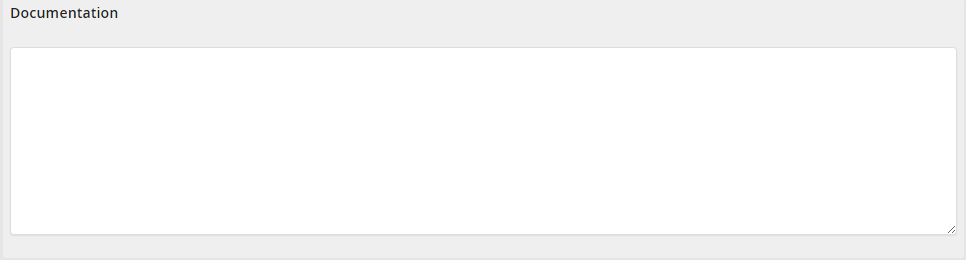
PHP Documentation
Use this text box to describe your function in more detail.
Deleting a PHP function
Delete a PHP function by checking the box next to its name in the PHP function overview. Then click Delete in the action bar. The PHP function will be deleted if it is not referenced in a rule. If it is still referenced in a rule, an error message is displayed, and the function is not deleted.
