Use PHP functions to execute your own PHP function for your step or step action initialization.
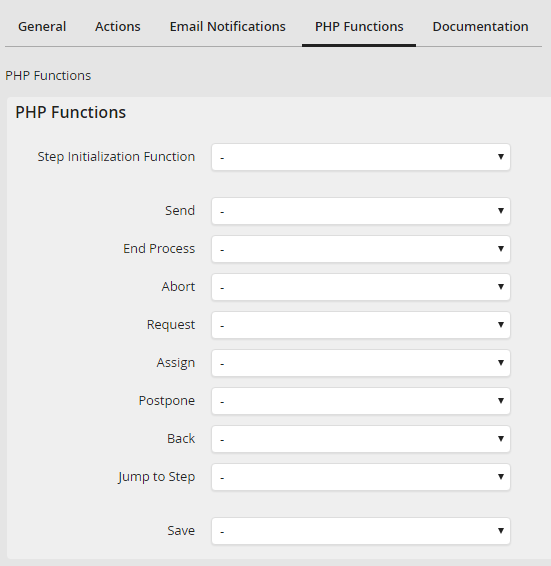
Select the PHP function tab in the Edit step mask. The mask for the PHP functions selection is displayed:
Properties |
Description |
|---|---|
Step Initialization Function |
•If you have created a PHP function of the Step initialization function type you can use them to initialize a step. •Select the step initialization function that is executed when loading a step. |
Send |
•Select a PHP function of the Rule execution function type. •That is executed when sending a step. |
End Process |
•Select a PHP function of the Rule execution function type. •That is executed when ending a step. |
Abort |
•Select a PHP function of the Rule execution function type. •This is executed when canceling a step. |
Request |
•Select a PHP function of the Rule execution function type. •That is executed when requesting a step. |
Assign |
•Select a PHP function of the Rule execution function type. •That is executed when assigning a step. |
Postpone |
•Select a PHP function of the Rule execution function type. •That is executed when scheduling the step to resubmission. |
Back |
•Select a PHP function of the Rule execution function type. •That is executed when returning a step. |
Jump to Step |
•Select a PHP function of the Rule execution function type. •That is executed when a user is forwarding an instance to another step. |
Save |
•Select the PHP function of the Rule execution function type. •That is executed when saving a step. |
