Use the e-mail notification to inform a user about new steps. You must have previously enabled e-mail notification in the individual user preferences (See the JobRouter Administration Manual).
Also enable notification if you want to be notified of new steps via push notification on the JobRouter app, for mobile steps.
Select the Edit step in the E-mail notifications tab to access the input mask for e-mail notifications.
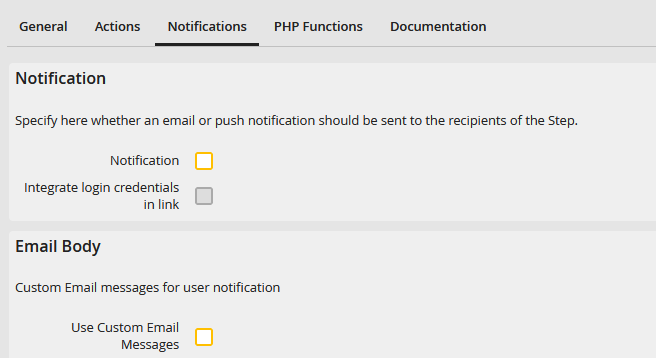
E-mail notifications
You can specify the following e-mail notification functions.
E-mail notification properties |
Description |
|---|---|
Notification |
•The recipient of the step will be notified about new steps. For mobile steps, the recipients are informed via push notification on the smartphone. |
Integrate login credentials in link |
•Enable this function to add a link containing the login credentials of the recipient to the e-mail. •The recipient can use the link to access the step directly without to log in to the JobRouter system before. |
Use Custom e-mail Messages |
•You can enter your individual text for the recipient notification. •Enable the checkbox. A new section with input fields for the subject and e-mail text of the e-mail is displayed. •If you have created a multilingual process, a section for each language is displayed. Enter the corresponding text for each language. Please note: The user-defined e-mail texts are the same for all step actions. (Example: Request) At the moment it is not possible to define individual texts per step action. |
