If you wish to have steps able to execute simultaneously, it's better to divide them using a Parallelization start step. In this case, parallelization means that it is mandatory for the steps to flow together again. This is done via the Parallelization end step. This step waits for all branched steps to complete before handing off further processing to the next step.
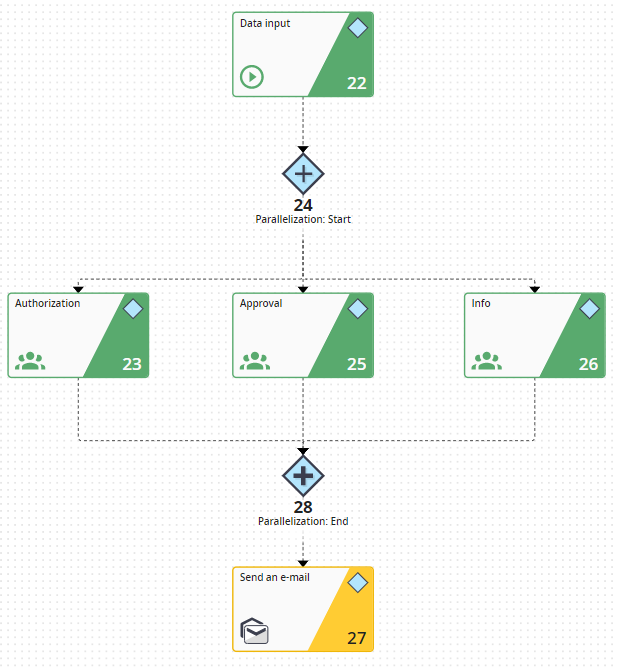
Example 1: Parallel Step Sequence
You can nest the parallelism to any depth.
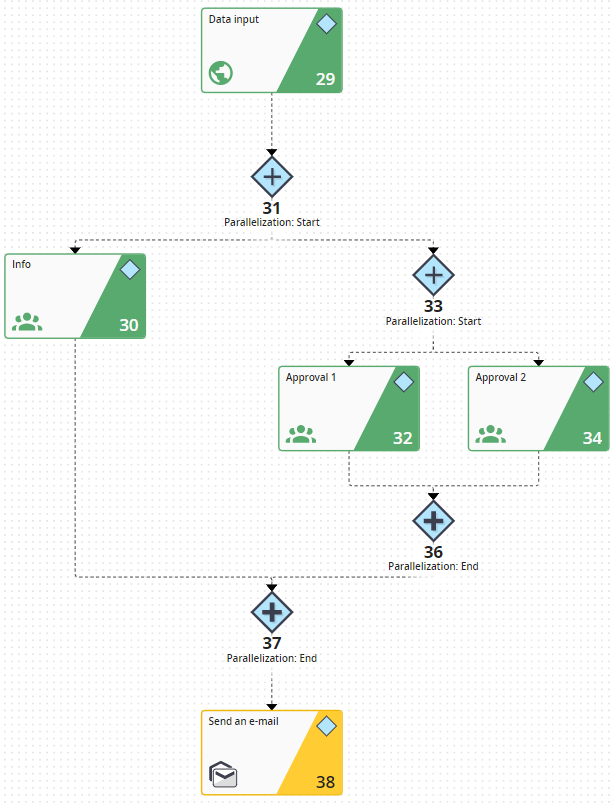
Example 2: Parallel Step Sequence
