In order for JobRouter to access Zend Framework, the path of the Zend Framework installation has to be added to the JobRouter configuration file. Additionally the access to the Web Service in the JobRouter configuration has to be activated. For calling up the different web service methods the appropriate user rights are required
1.Add the following line to the file config.php in the subdirectory config of the JobRouter installation:
define('CONST_ZEND_FRAMEWORK_LIB_PATH', 'C:\Program Files (x86)\ZendFramework\library');
2.Activate the web service in the JobRouter configuration. The menu can be found under Admin Tools > Configuration > Web Service.
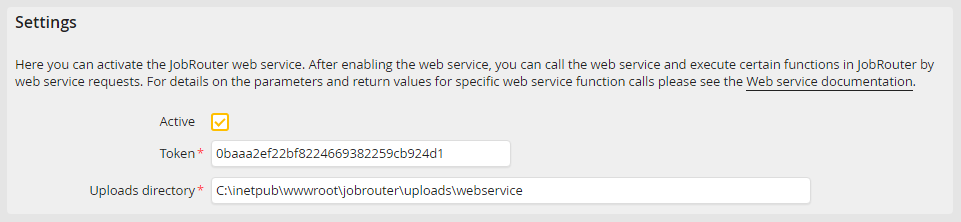
3.Tick the active box. The entry in the token field will automatically be generated but you can add your own string instead. The token will later be used as an additional parameter for all Web Service calls. Please note: The MD5 hash of the token has to be transferred when using the web service.
Please note: To ensure the highest possible security, select a random character string as token. Under no circumstances should you use a character string that is easy to guess, as this can significantly compromise the security of the system!
4.For the web service functionality of starting new process instances in JobRouter, an additional upload directory is required, in which the transmitted files for the start of the process instance are temporarily stored. Enter the complete path to this directory into the Uploads directory field.
