Language Selection:
After installing the add-in and before logging in with your JobRouter account, the language used is the language of the system. After logging in, the language of your JobRouter account is used. In the Add-in options, however, you can also select a different language of your choice by making your selection in the Language drop-down list.
If you activate the Use system language option, the default language of your computer is used and no personal language can be set.
Color scheme:
The Color scheme option allows you to choose between the JobRouter Default (standard) and the JobRouter Light. The JobRouter Default color scheme has a dark grey appearance.
Archive settings:
You can use the default categories to tag successfully archived emails with a category when archiving emails.
A default category is preselected before the archiving process so that quick categorization can be done.
The add-in uses the two categories JR_Archived and JR_Process. These categories must be created manually in Outlook with exactly these names before first use. You can find out how to create and manage categories in Outlook here: Manage categories in Outlook (external link)
Please note: The add-in cannot create categories automatically.
Accessibility options:
The font size can be set here.
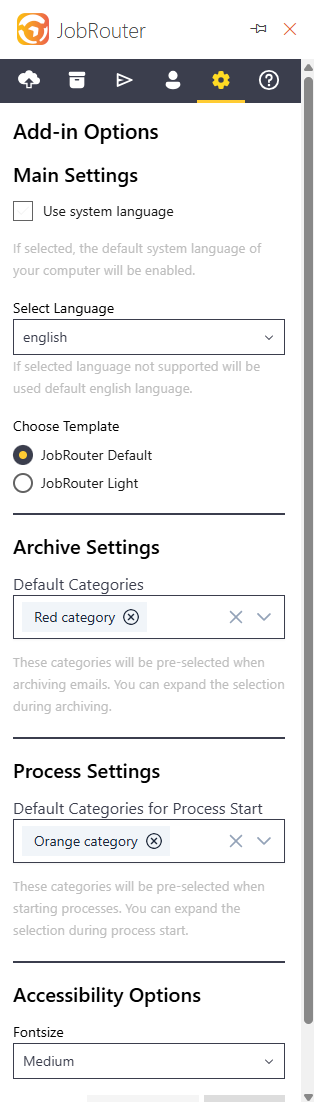
Add-In Options