Open the JobRouter add-in in any email. Using the "Process Starts" menu item, you can start configured processes for which you are authorized directly from "JobRouter for Outlook."
The setup of the process start option in "JobRouter for Outlook" and the configuration of the data to be transferred to the process are carried out by an administrator and are described in the administrator's manual.
Please note: In order to start a process, the process start step must be assigned to you and the start step for "JobRouter for Outlook" must be configured.
Select one of the available processes
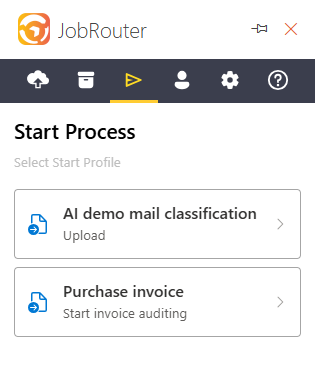
and, optionally, the file object to be transferred for the process start:
•Complete email object including all attachments (as eml file)
•Email object without attachments (as eml file)
•Individual file attachment in original format
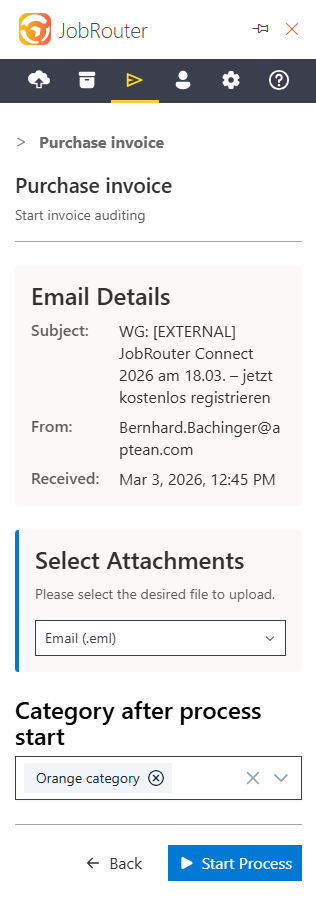
At the end of the process start form, you can set Outlook categories to mark the email after the process has been started successfully. Categories must be created manually in Outlook beforehand (see Add-In Options). If you have selected default categories, these categories are already preselected here.
Clicking on "Start process" starts the process according to the configuration.