You can define a free condition for your rule after selecting the entry define query in the picklist in the condition section of the edit mask of your rule. The following form box will be displayed:
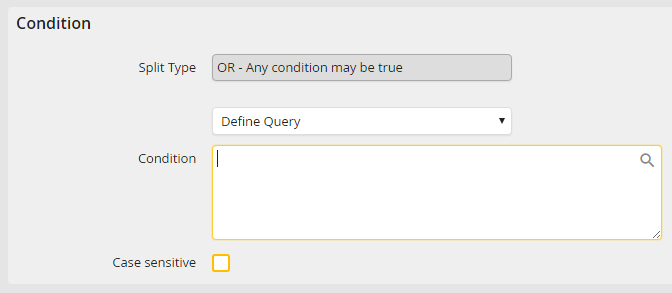
Define a query
Fill in the name of the process field enclosed in parentheses (FIELDNAME) or the name of the form field enclosed in brackets [fieldname] to compare against.
You can use parentheses to group parts of the query and use the logical operators AND or OR (See the following examples).
And if you wish to use Process and system fields for comparison, click the  symbol (See Define rule conditions).
The following logical operators are available:
Logical operator |
Description |
|---|---|
== |
is equal to |
!= or <> |
not equal to |
< |
less than |
<= |
is less than or equal to |
> |
greater than |
>= |
is greater than or equal to |
Please note: The relational operators usable in the query differ to some extent from those listed in chapter Define rule conditions.
Via the checkbox Case sensitive you can control the value comparison procedure.
Please note: Comparisons with string and date values must always be masked with double quotes.
Examples:
Comparison |
Result |
|---|---|
"Thomas and Peter" == Thomas and Peter |
Invalid |
"Thomas and Peter" == "Thomas and Peter" |
Valid |
Please note: Comparisons with system or form fields must always be masked with double quotes.
Examples:
Comparison |
Result |
|---|---|
(FORMFIELD) == Thomas and Peter |
Invalid |
(FORMFIELD) == "Thomas and Peter" |
Valid |
(textbox1) == 12345 OR (textbox1) == "0815" |
Valid |
[jr_username] == Thomas |
Invalid |
[jr_username] == "Thomas" |
Valid |
((textbox1) == "12345" OR (textbox1) == "0815") AND [checkbox1] != "1" |
Valid |
Please note: For comparisons with numbers, masking with inverted commas is not necessary.
Examples:
Comparison |
Result |
|---|---|
3 == 3 |
Valid |
3 >= 2 |
Valid |
(userfield) <= 3 |
Valid only if the input is a number |
[tablefield] <= 3 |
Valid only if the result is a number |
Please note: A size comparison of strings "A" < "B" does not work. Strings are converted to hashed strings for comparison and thus cannot be compared in size or length.
