To copy rules from a step, click New on the Action Bar in the Rules Overview.
In the New Rule pop-up window, click the Copy Rules From... button.
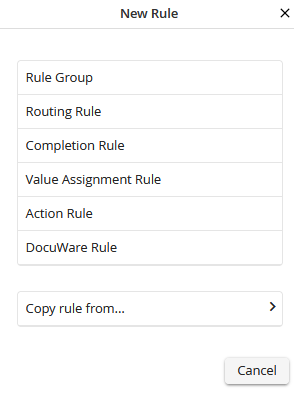
Copy rule from
A window opens showing all the steps that contain rules. 25 steps are displayed per page. The search window at the top can be used to search for a specific step.
All the rules and rule groups contained are displayed in the window for each step. Click on the checkbox at the front and select the rule that is to be copied. When marking a rule group, all rules of this group are marked.
Please note: Please correct the settings of the copied rules, if these do not exactly fit in this step.
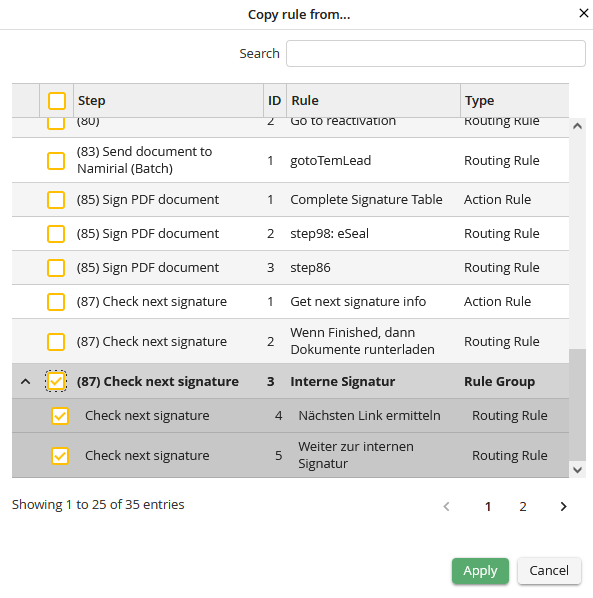
Rule overview
By clicking Apply and confirming the copy process, the rules are copied to the selected step.
Individual rules from different steps can also be selected and copied.
Please note: All rule settings and conditions are taken from the source rule. Please correct the settings if necessary, if these settings do not fit exactly to this step.
