You can obtain an overview of the available modern forms by clicking on Forms (modern) under Workflow in the main menu of the JobRouter® Designer.
Forms overview (modern forms)
The forms overview provides a quick introduction to the existing forms.
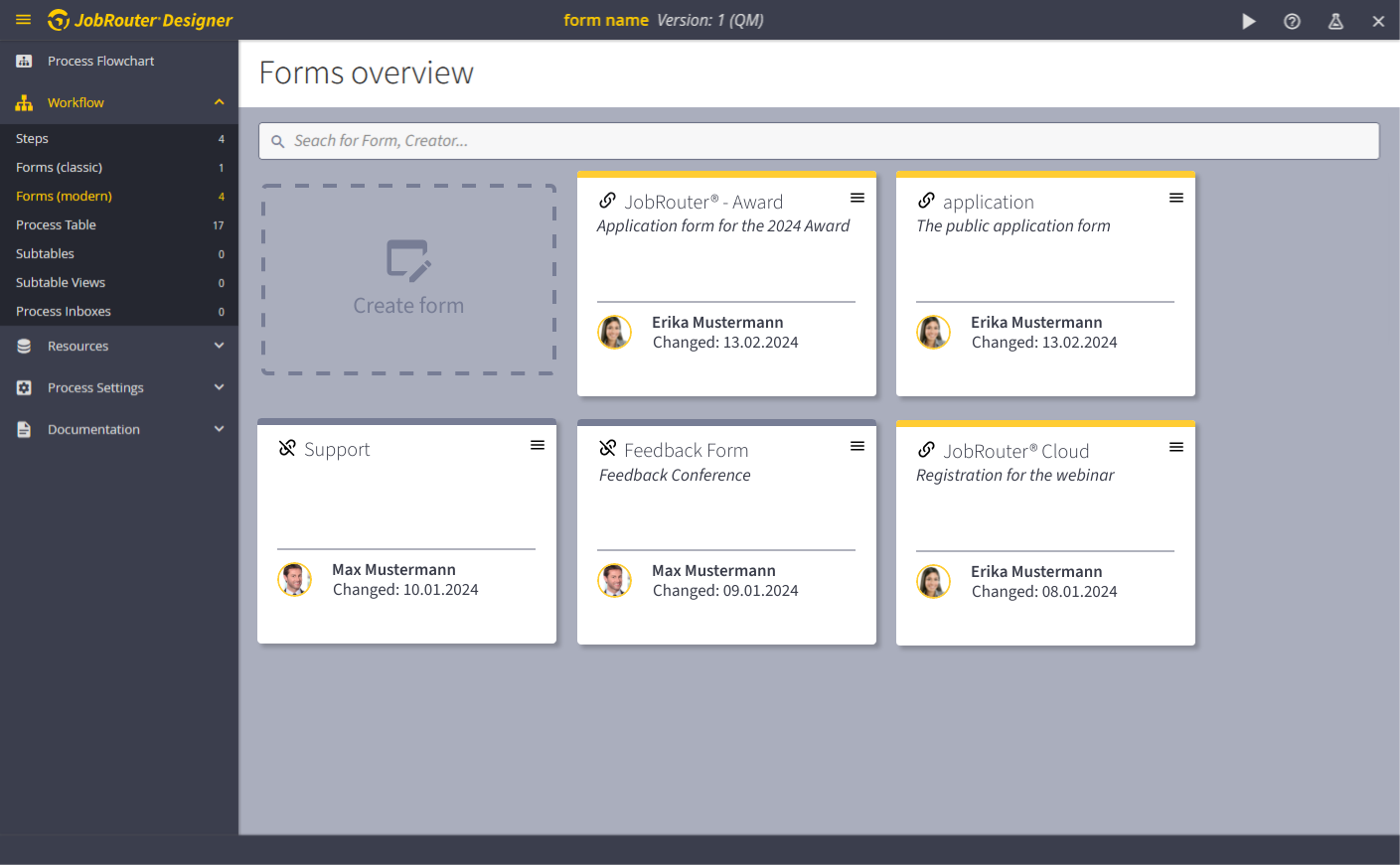
Search
The following fields will be searched:
•Name
•Name Description
•Creator/editor
Forms
In the forms overview, the existing forms are displayed as tiles.
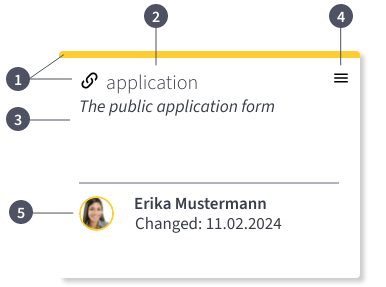
(1) Link with steps
•Yellow bar and linked icon  = The form is linked to a step
•Grey bar and unlinked icon  = The form is not yet linked to a step
(2) Label
The label (name) given to the form by the creator. A descriptive label helps to make the form easier to find.
(3) Description (optional)
The optional description for the form assigned by the creator/editor. Additional keywords in the description can be very helpful when using the search function.
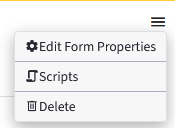
(4) Form menu
The form properties and the configuration of the stored scripts can be called up and the form can also be deleted via the form menu.
(5) Creator/editor and creation date/modification date
Please note that the last person to edit the form is always displayed here.
The creation date or a change date is displayed under Changed.
Create form
Use the Create form button to create a new form.