Before you can design a form, you must create the form. To set up a new modern form, click on Forms (modern) in the main menu.
You will see an overview of all forms that have already been created. Click on the Create form area.
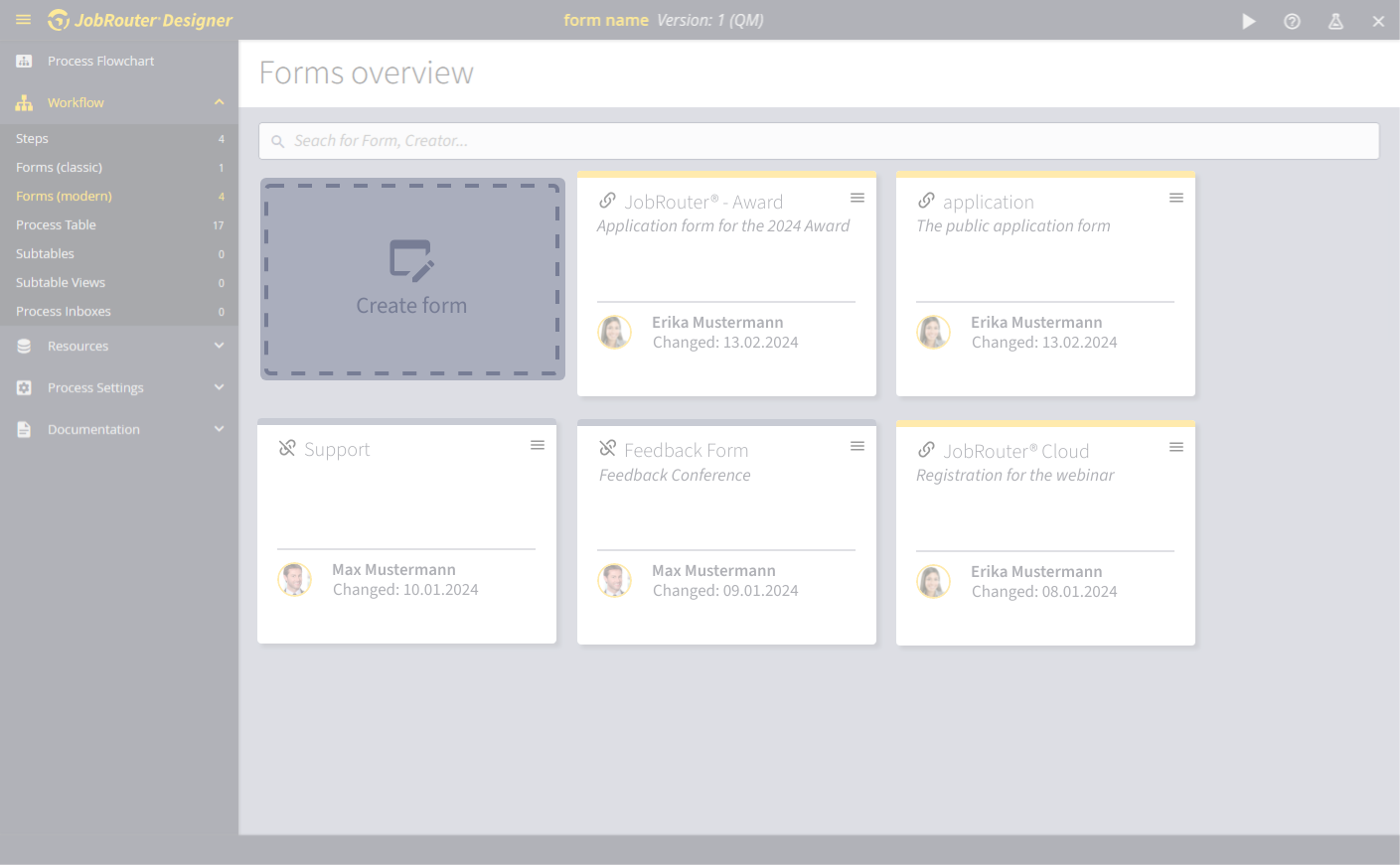
Create form pop-up
Clicking on Create form opens the pop-up for creating the forms.
The properties of the form are first defined before the actual form with form elements can be created.
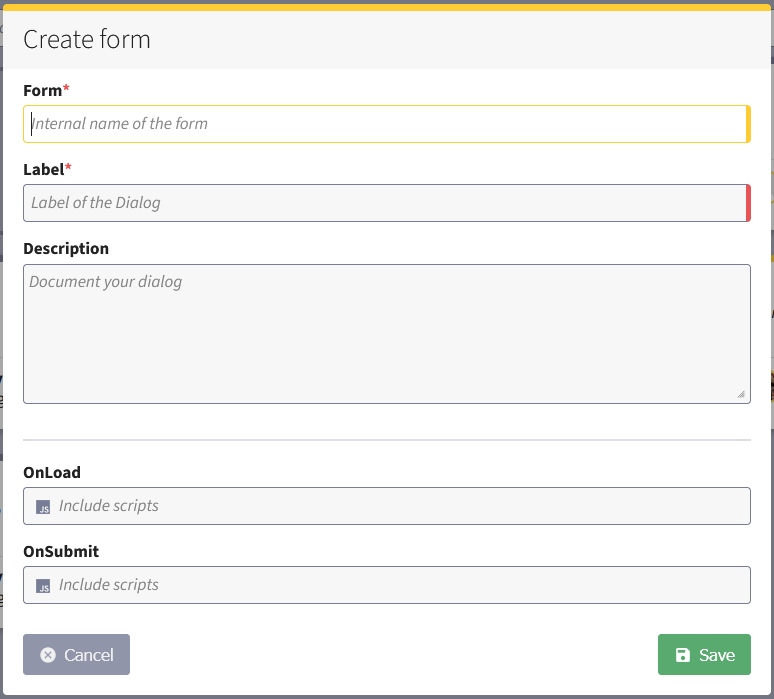
Forms (mandatory field)
Give the form a unique and meaningful internal name. This is displayed in the step configuration in the field for linkable form, for example.
Label (mandatory field)
Assign a name. This is displayed in the forms overview. A meaningful name makes it easier to identify steps.
Description (optional)
Although the description text for the form is optional, it also helps to make the form easier to find.
Scripts (optional)
If required, enter the desired scripts for OnLoad and OnSubmit.
See also chapter "Events for user forms".
Cancel dialog creation
If you want to cancel editing, click on Cancel or click on the gray area outside the pop-up.
Save dialog
Click on Save to save the form. Both Save and Cancel take you to the forms overview.
