If you want to change the form or transfer new values to the Zapier system activity during the process design, you have to perform the Webhook test in Zapier again to receive the newly transmitted data.
Please proceed as follows:
•Perform the changes in the form and add new process table fields, if required.
•Then go to the Zapier system activity and add the new process table fields or values in the input parameter section.
•Perform a new step in the simulator and start the system activity to inform Zapier via Webhook about this.
•Then call the Webhook trigger in Zapier.
•Go to Find data and click Request. Then click Choose another and select the latest, just sent request.
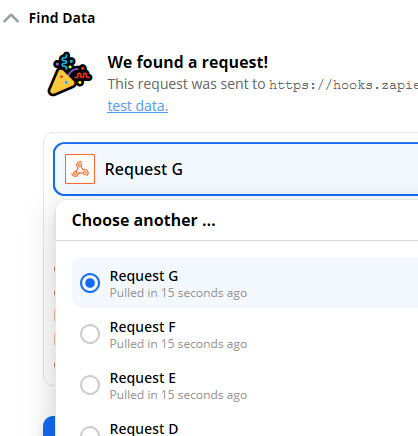
Zapier erneuter Test
•Now you can go to Create card in Trello and click Customize card here. Now all new data gets assigned again.
Please note:
The performance of a step in connection with Webhook is made instantly. The action and the result can be seen immediately.
