In the workspace, you design your form using the layout elements and form elements. The workspace has its own navigation.
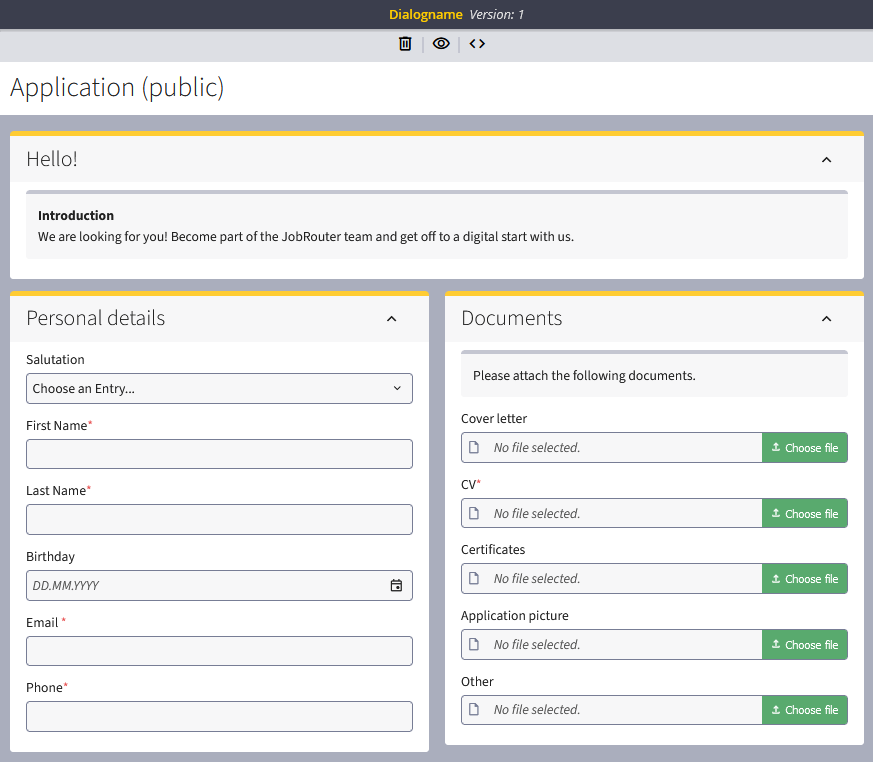
Navigation while editing the form
 = Deletes a selected element from the form
 = Calls up the script overview
= Switches to form view mode
Form view mode, Execute Scripts
As a process designer, you can use the form view mode in the form designer to check how your form is displayed on desktop and mobile devices such as tablets or smartphones. To do this, click on the eye icon at the top of the page and switch to "Form view mode".
 = Desktop view
 = Tablet view
 = Mobile view / Smartphone
= Back to edit mode
 = Execute scripts
Please note: Some end devices or non-standard browsers, for example, may display the dialogs differently. If necessary, please check the dialogs again after completion on such devices.
