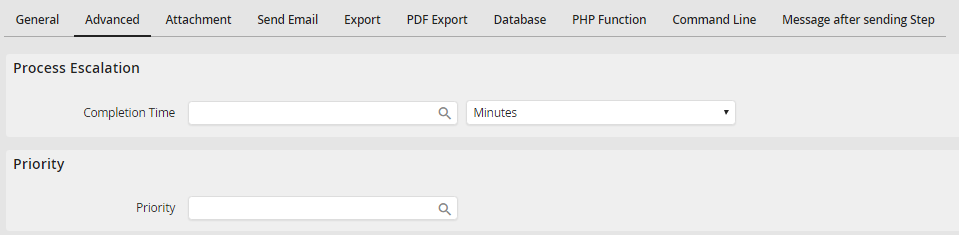
Click on the Advanced tab to edit the deadline (Process escalation) as well as the priority.
Explanation
To change the deadline, enter the number of time units and choose the desired time unit or a date. Dates have to be entered in the format YYYY-MM-DD. Learn more about JobRouter escalations in chapter Escalations (JobTimer module).
Use the Priority field to change the priority of a step and instance. Possible values are 1 (low), 2 (medium) and 3 (high).
Clicking the symbol  allows you to use the process or system fields for your entries.
