If you want to delete the form, click on the menu icon  of the corresponding form in the forms overview.
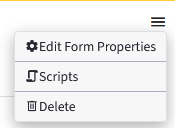
Select Delete. A pop-up opens to confirm the deletion process..
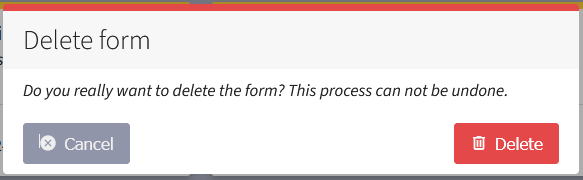
Confirm the deletion process for the selected form with Delete.
Note:
Deleted dialogs cannot be restored.
Canceling the deletion process
If you want to cancel the deletion process, click on Cancel or click on the gray area outside the pop-up.
Confirm deletion
Click on Delete to confirm the deletion process.
Both Delete and Cancel take you to the forms overview.
